
- Quick Start Guide for Gen1 S1070/S1080/S1090
- Pairing with the ASAHOM App
- Cutting & Reconnecting for Gen1 Waterproof Junction Box
- LED number setting for Gen1 Controller
- Cutting & Reconnecting for Gen 2 Waterproof Junction Box
- Quick Start Guide for Gen2 S1070/S1080/S2080
- Layout Setting for Gen2 Controller
- How to connect to Ethernet (Gen 2 S1080 S2080 only)
- Power extension cord
- Gen 1 T-splitter
- Power-T Connector
- Wire Clip / Screw Pack
- End Cap
- Gen 1 Waterproof Junction Box
- Wall-Mount Enclosure Kit
- Track-Mount Kit
- Gen 1 Light string extension cord
- Gen 1 Controller
- Fault Detection Module
- Gen 2 T-Splitter
- Gen 2 Waterproof Junction Box
- Gen 2 Light string extension cord
- Gen 2 Controller
- Dual Output vs. Single Output: Unlock Greater Flexibility for Your Permanent Outdoor Lights
- Why ASAHOM Permanent Outdoor Light Installations Over 200ft Need Extra Power Injection?
- The Simple, Secure Seal: Why ASAHOM's Waterproof Connectors Are a Game-Changer
- Unleash Your Creativity: How ASAHOM's Palette & Effect Combo Redefines Smart Lighting
- Why Your Outdoor Lights Stay Connected: The Truth About WiFi & Why ASAHOM Uses 2.4GHz
- Beyond Simple Splitting: How the ASAHOM T-Splitter Redefines Smart Lighting Control
- Redefine Your Night: The Power of Zone Control with ASAHOM
Cutting & Reconnecting for Gen 2 Waterproof Junction Box
You can use a Waterproof Junction Box to protect cut and reconnected sections of the light string, or use an End Cap to seal the end after trimming extra lights at the edge of the eaves, ensuring waterproof safety.
The all-new Gen 2 waterproof junction box dramatically streamlines the cut-and-connect process, making it the fastest cut-and-connect accessory for permanent lights on the market
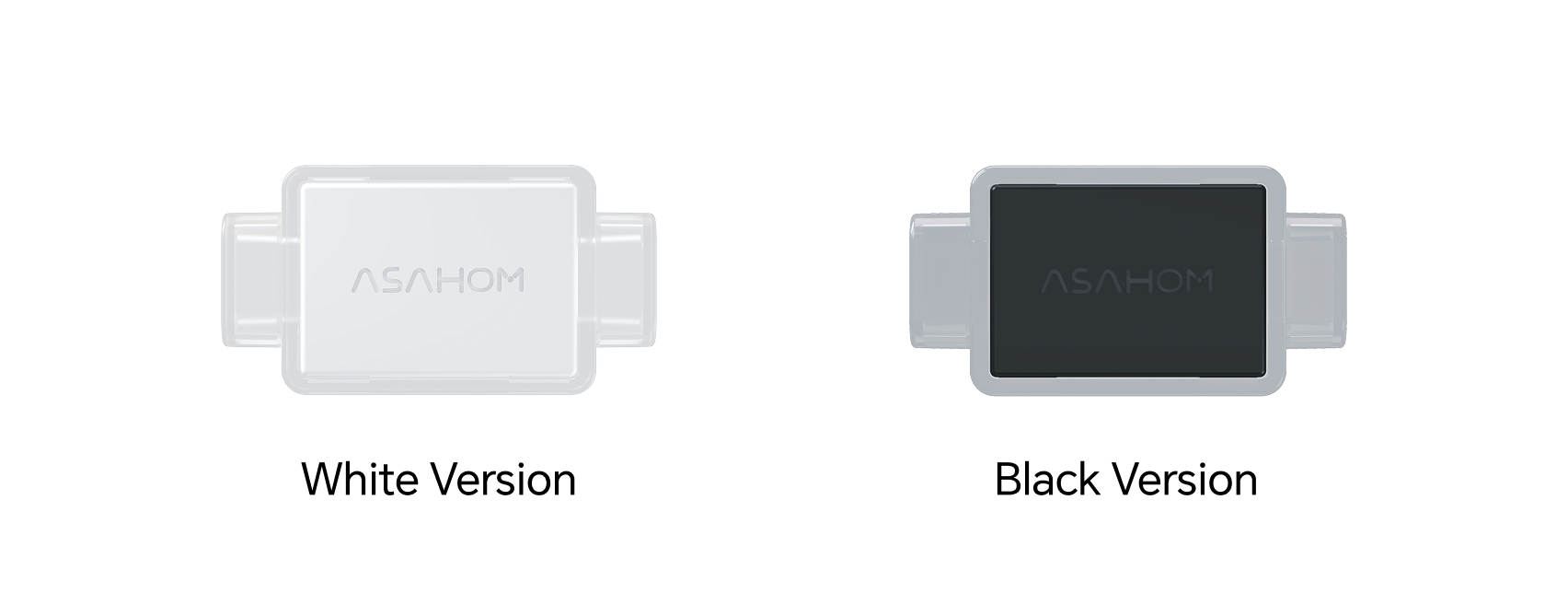
Gen 2 Waterproof Junction Box
Appearance
How to Use
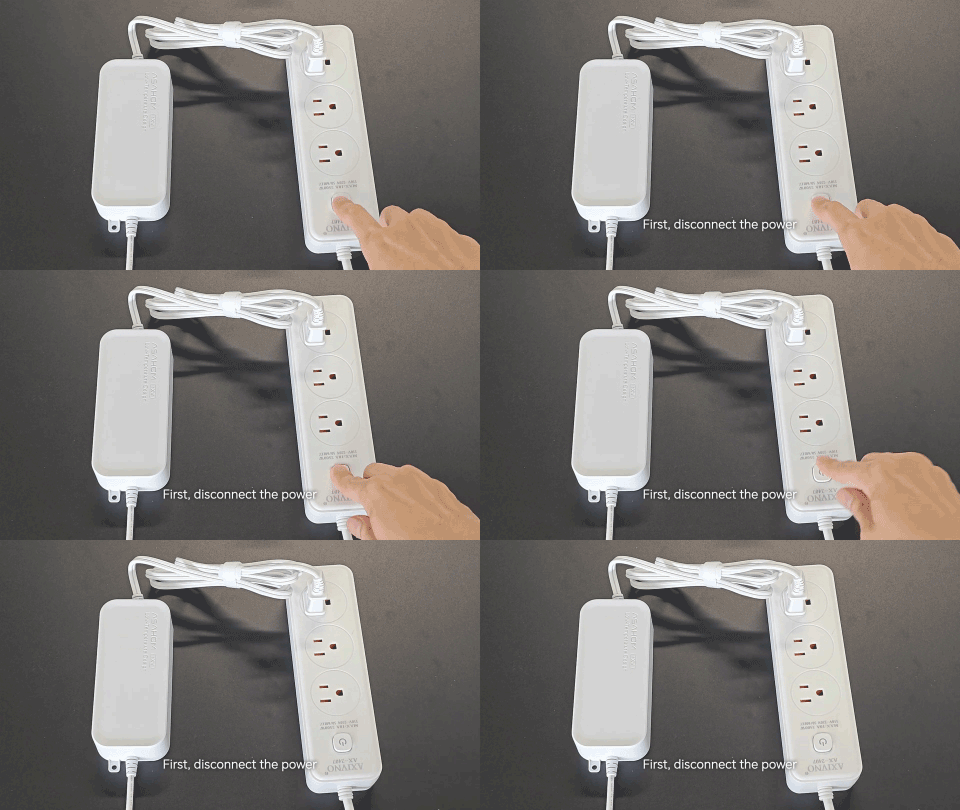
Before Installation:
Ensure the power is completely disconnected before cutting or wiring.
How to Use:
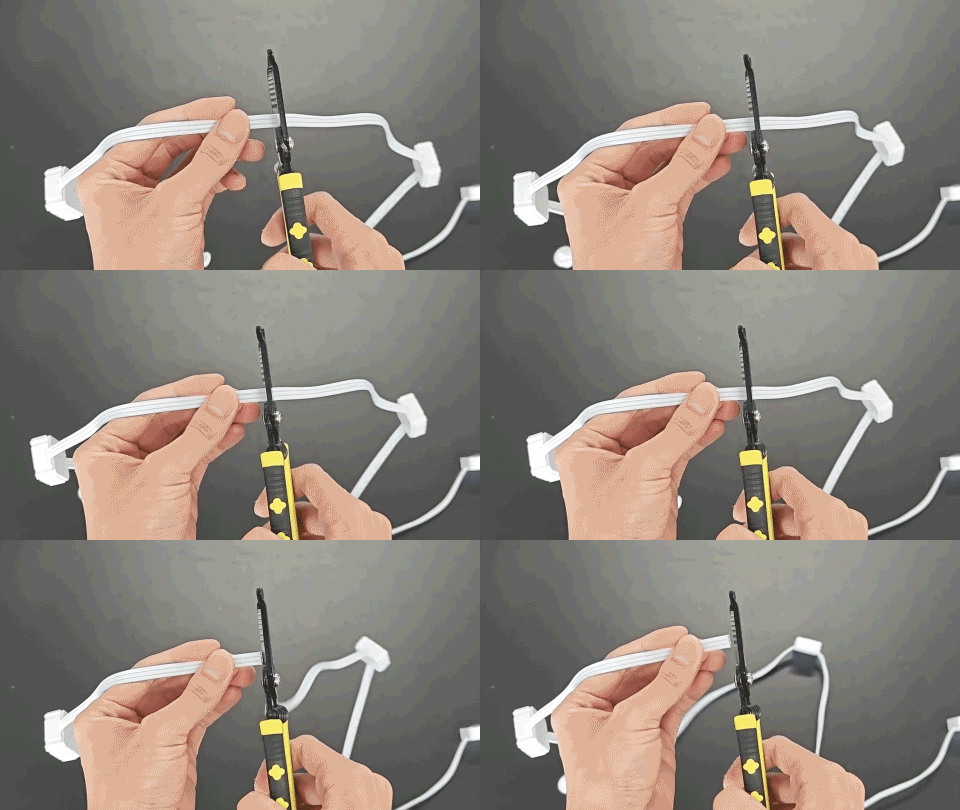
Step 1 – Cut the Light String Cut the string lights at the desired position
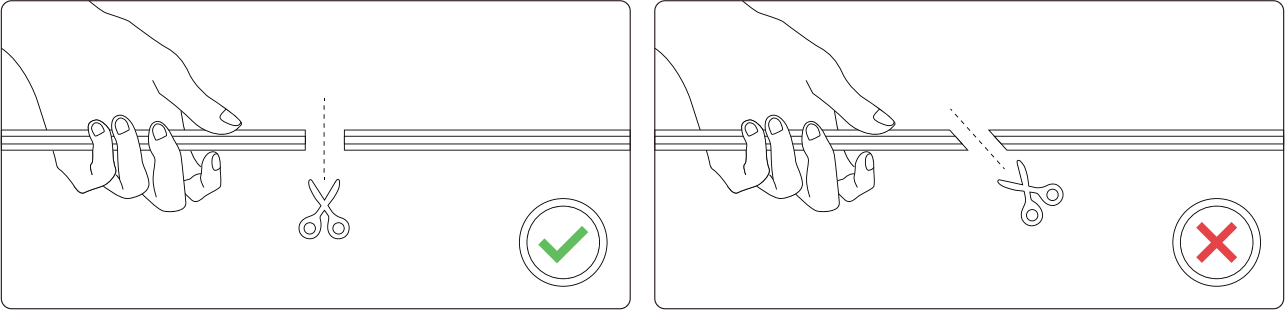
Please be sure not to cut at an angle, as shown in the illustration.
Step 2 – Take out the waterproof junction box and remove the caps from both sides
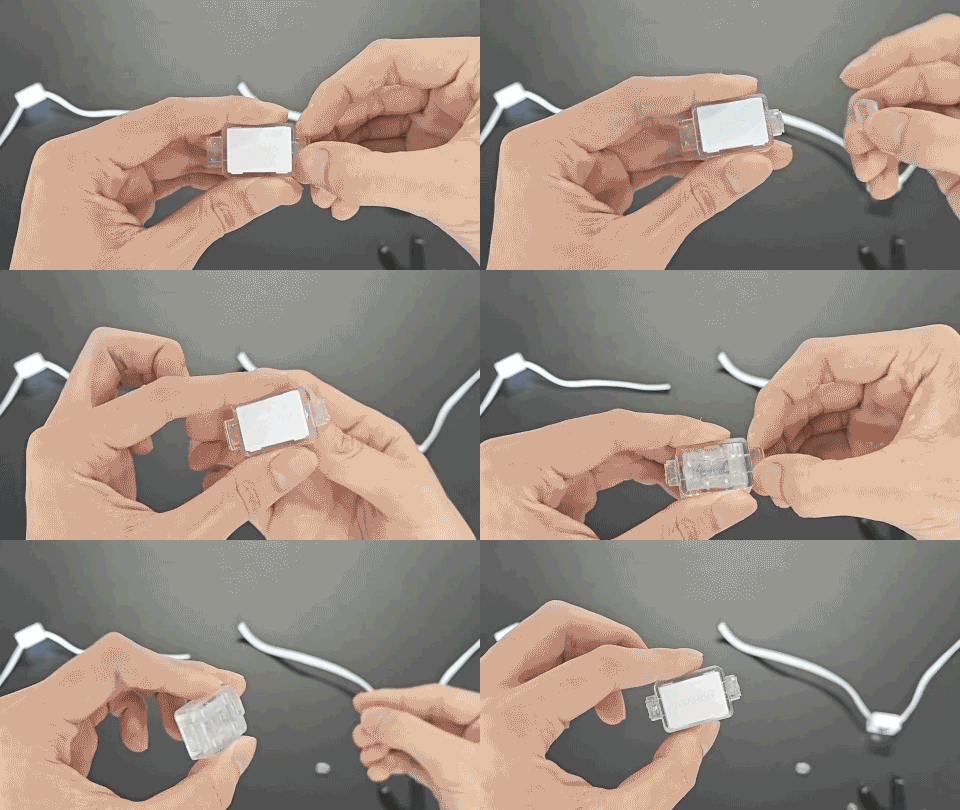
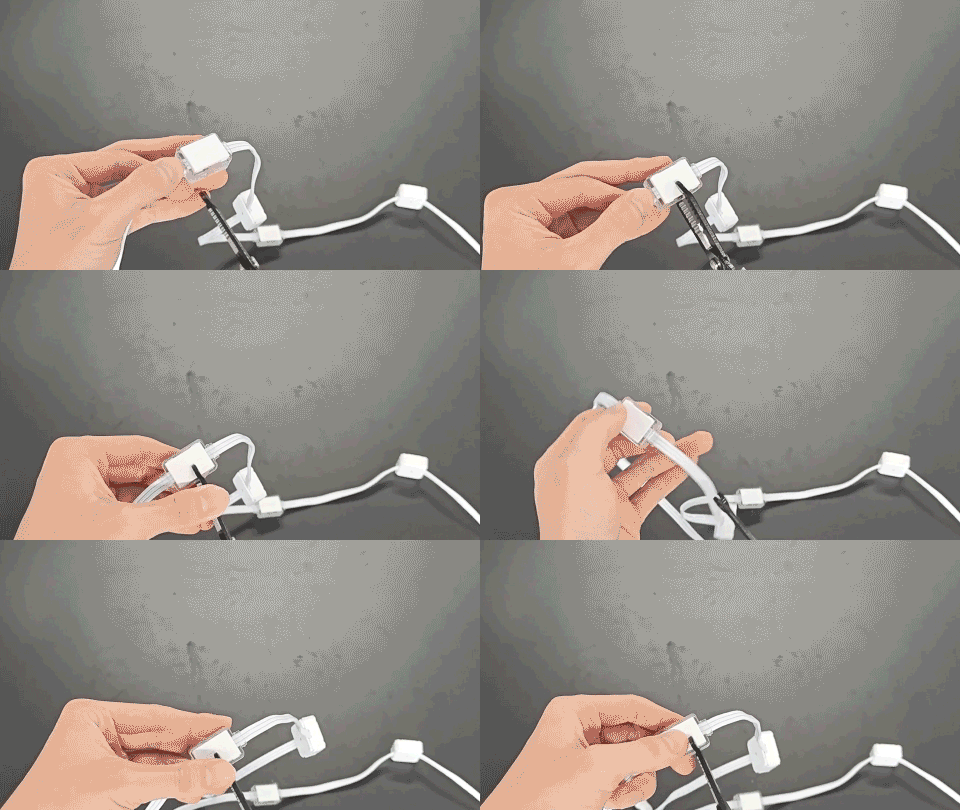
Step 3 – Insert the wires you need to splice into the box
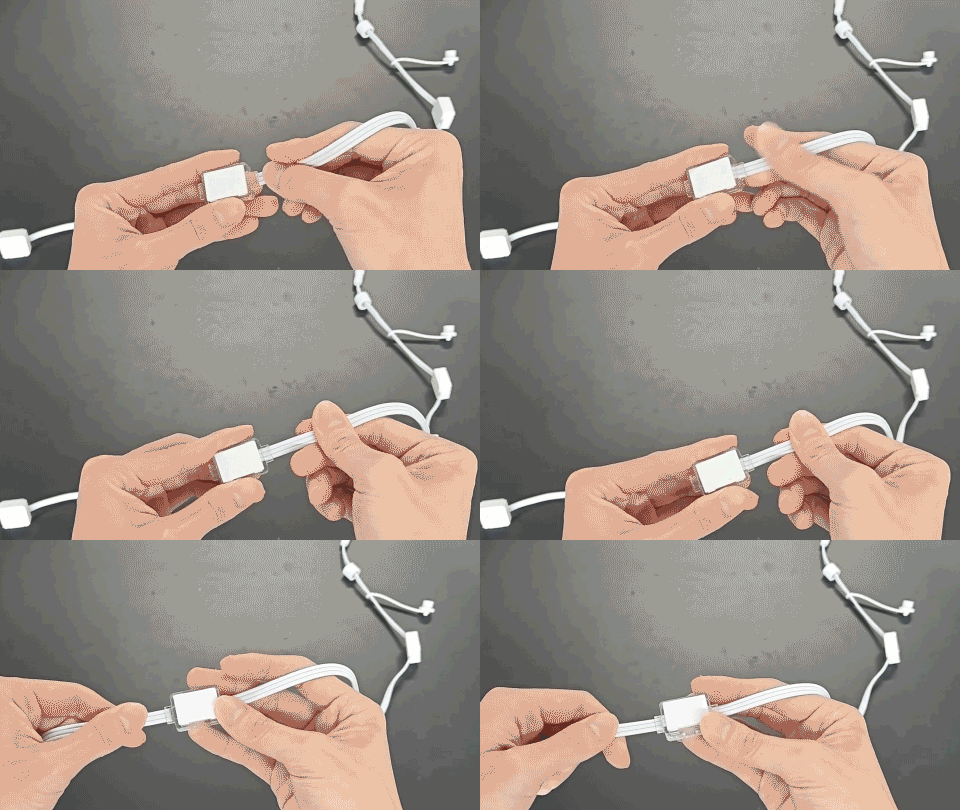
Note: There are two important things to keep in mind here.
① make sure the positive, negative, and signal wires match up one-to-one. You can check whether the wiring is correct by verifying that the pattern on the wire stays continuous.
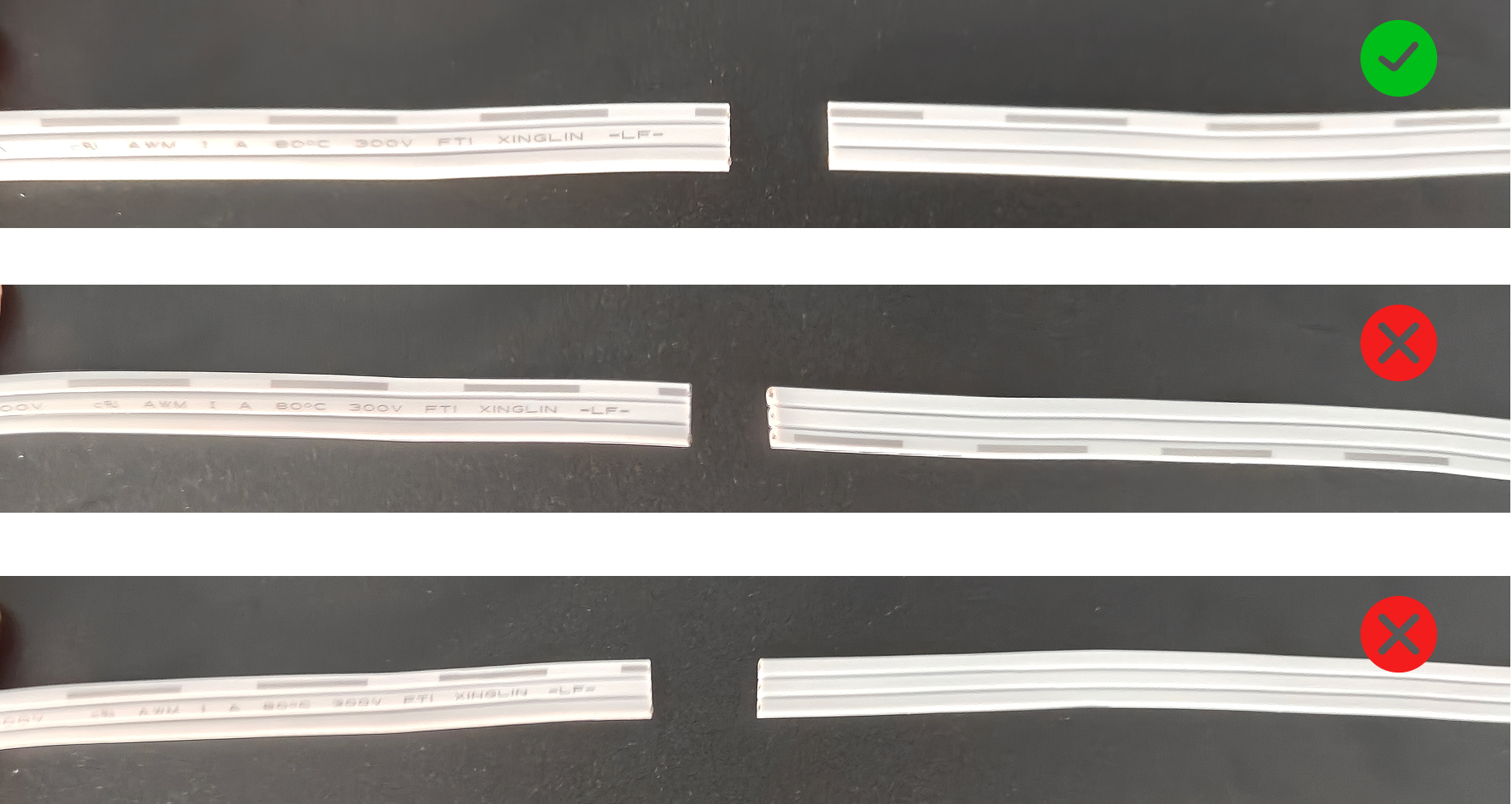
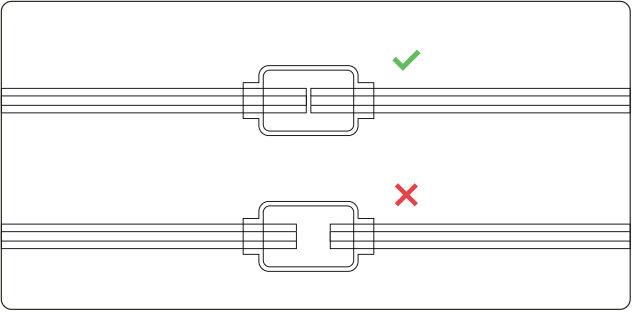
② The wires must be inserted all the way in. Please refer to the illustration for the correct and incorrect examples.
Step 4 – Use pliers or your fingers to firmly press the top cover of the box shut until it sits flat
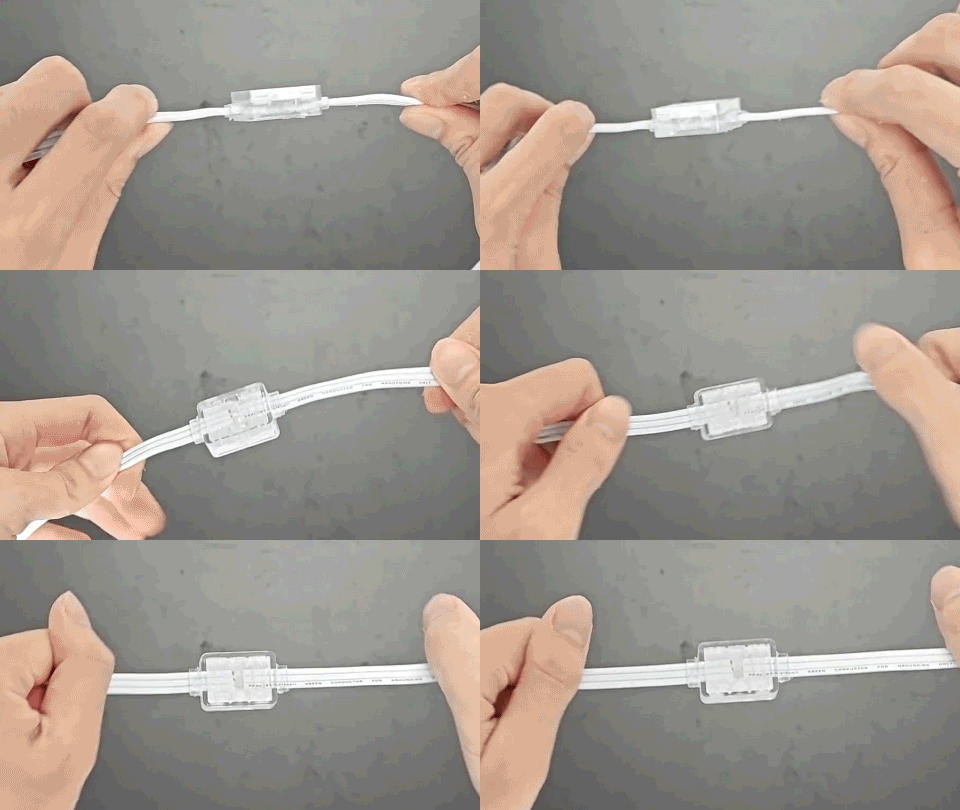
Step 5 – Power on and verify that the connection is successful
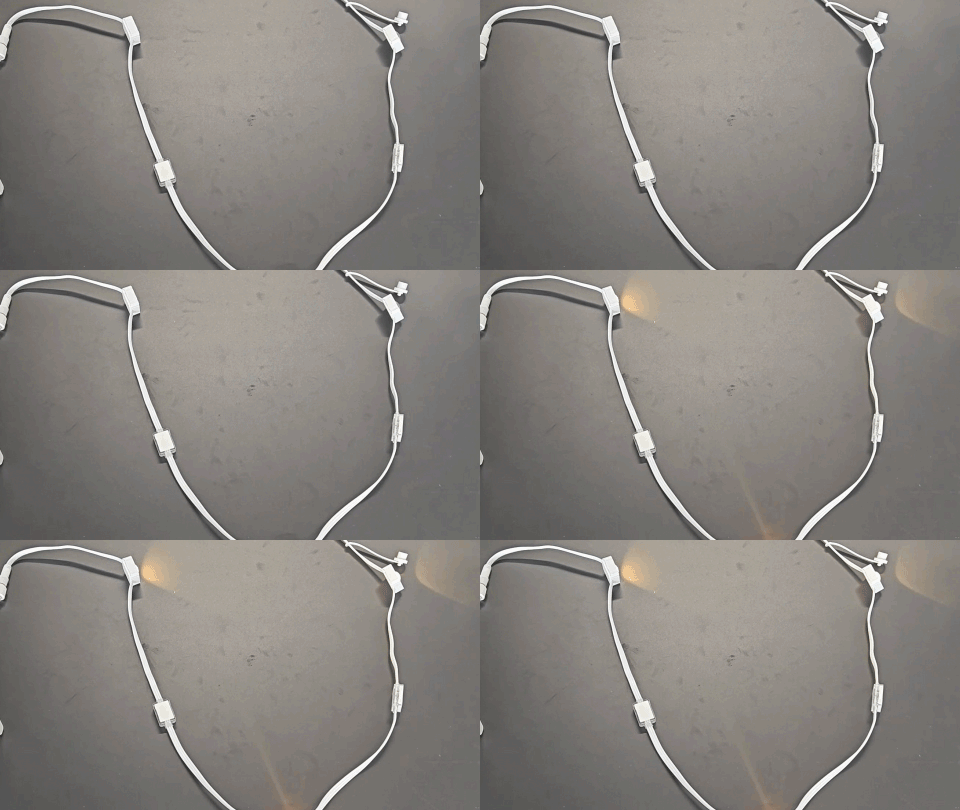
Tips
-
For optimal waterproofing, this item is single-use. Once the clip is snapped closed, it cannot be reversed. Please watch the tutorial video carefully before use.
-
This accessory is only compatible with ASAHOM brand products and is not compatible with other brands.
End Cap
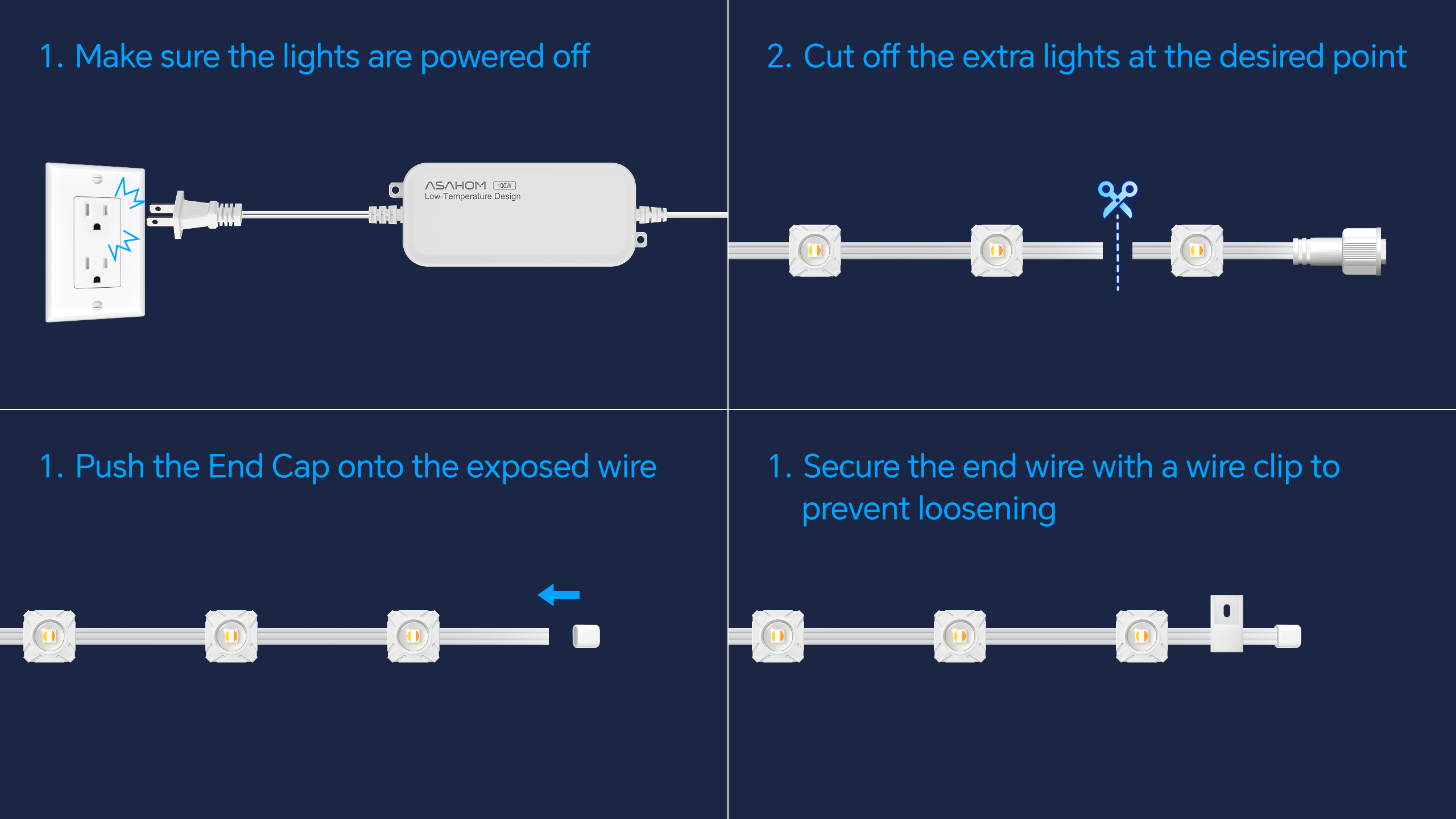
FAQs
A1: Can I cut the light strings anywhere I want?
Q1: You can only cut the light string at the marked cut points between two LEDs. Never cut through an LED or any circuit component.
A2: Can the cut-off segments still be used?
Q2: The leftover segment can be used as another light string, just connect it to the controller or T-splitter using the connector.
A3: Can I splice together light strings of different lengths?
Q3:Yes, you can, as long as each connector is properly attached and the total length does not exceed the system’s maximum.
A4: Do I need to update the app settings after cutting/reconnecting?
Q4: Yes! After any cutting, extension, or reconnection, refresh the light count in the app to ensure proper effects and control.
A5: Do I need to disconnect the power before cutting or reconnecting?
Q5: Power must be disconnected before operation to avoid short circuits or safety hazards.
A6: How can I ensure waterproofing after cutting or reconnecting?
Q6:Always use the provided waterproof junction box and end cap to tightly seal every connector.
Updated on 30 Sep 2026
What are your Feelings?
Thanks for your feedback
- Choosing a selection results in a full page refresh.
- Opens in a new window.