
- Quick Start Guide for Gen1 S1070/S1080/S1090
- Pairing with the ASAHOM App
- Cutting & Reconnecting for Gen1 Waterproof Junction Box
- LED number setting for Gen1 Controller
- Cutting & Reconnecting for Gen 2 Waterproof Junction Box
- Quick Start Guide for Gen2 S1070/S1080/S2080
- Layout Setting for Gen2 Controller
- How to connect to Ethernet (Gen 2 S1080 S2080 only)
- Power extension cord
- Gen 1 T-splitter
- Power-T Connector
- Wire Clip / Screw Pack
- End Cap
- Gen 1 Waterproof Junction Box
- Wall-Mount Enclosure Kit
- Track-Mount Kit
- Gen 1 Light string extension cord
- Gen 1 Controller
- Fault Detection Module
- Gen 2 T-Splitter
- Gen 2 Waterproof Junction Box
- Gen 2 Light string extension cord
- Gen 2 Controller
- Dual Output vs. Single Output: Unlock Greater Flexibility for Your Permanent Outdoor Lights
- Why ASAHOM Permanent Outdoor Light Installations Over 200ft Need Extra Power Injection?
- The Simple, Secure Seal: Why ASAHOM's Waterproof Connectors Are a Game-Changer
- Unleash Your Creativity: How ASAHOM's Palette & Effect Combo Redefines Smart Lighting
- Why Your Outdoor Lights Stay Connected: The Truth About WiFi & Why ASAHOM Uses 2.4GHz
- Beyond Simple Splitting: How the ASAHOM T-Splitter Redefines Smart Lighting Control
- Redefine Your Night: The Power of Zone Control with ASAHOM
Studio - Audio RX
Dynamic Light & Sound Synchronization
Audio RX is a signature feature of ASAHOM outdoor lights, syncing lighting effects to your favorite tunes. It makes your lights “dance” to the beat—perfect for parties, relaxing evenings, or festive moments.
23 Audio RX Modes
 |
With 23 unique audio-reactive effects, you can instantly switch between styles to match your music or event. Just tap to transform your space. |
Sound Input Source: Control Box or Phone
Control Box Microphone
a. Uses the microphone built into the control box.
b. Best for outdoor environments or when the controller is near the sound source.
c. Simple setup-No additional configuration is needed.
Tip: Ideal for parties where the control box is placed close to speakers.
Phone Microphone
a. Uses your phone’s microphone to capture audio.
b. Great for indoor setups or when your phone is closer to the music source.
c. Requires your phone and control box to be on the same Wi-Fi network.
Note: Ensure your phone stays near the audio source for best performance.
Sound Input Enable: Real Audio or Simulation
The Sound Input Enable toggle lets you choose:
ON – Lights react in real time to audio captured from the control box MIC or phone MIC.
OFF – Lights follow a software-generated rhythm, creating a consistent motion even without sound.
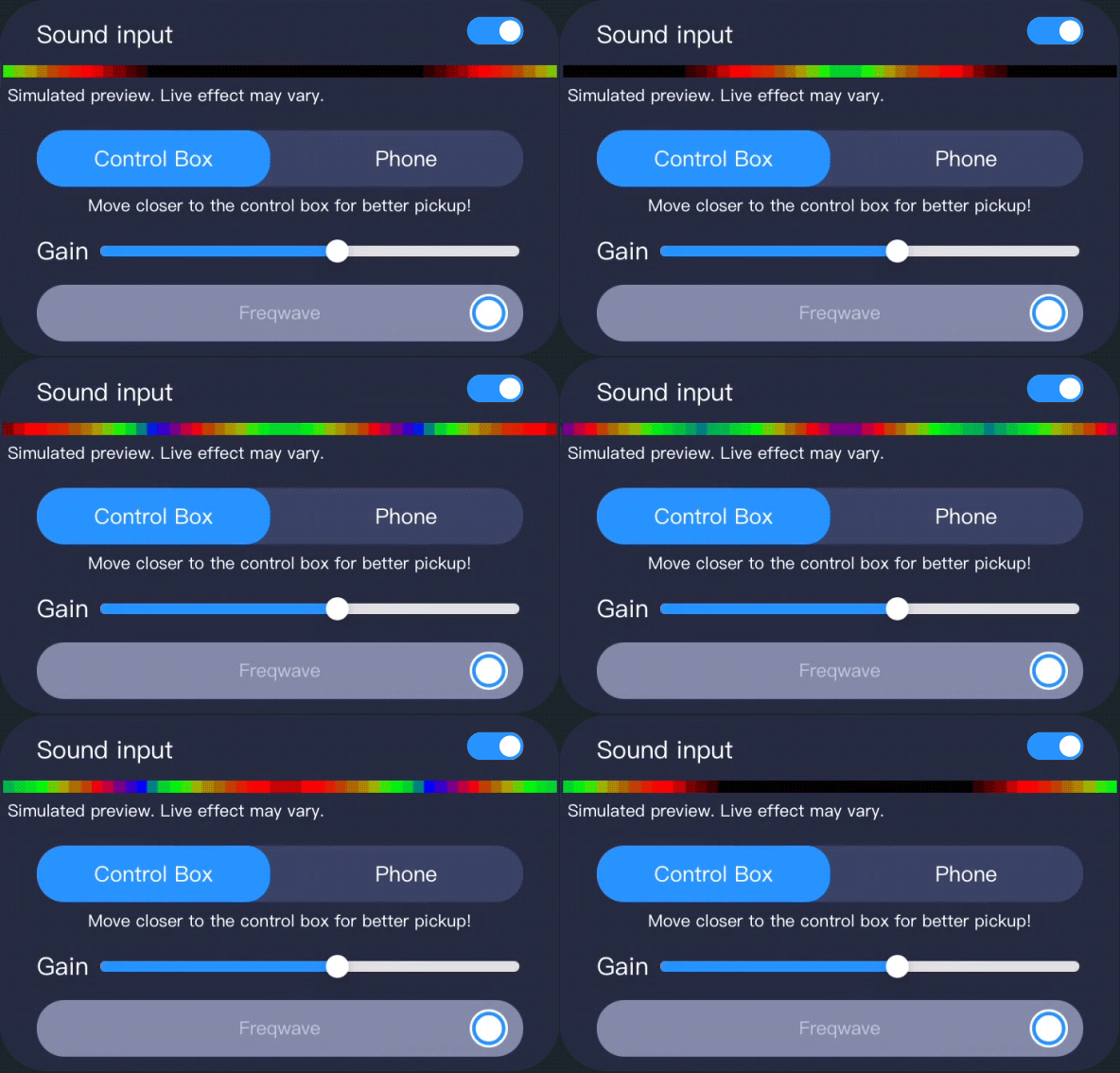 |
Note: The effect preview shown in the App is a simulated display. The actual lights will not react to ambient sound during preview. |
Fine-Tune with Gain & Effect Parameters
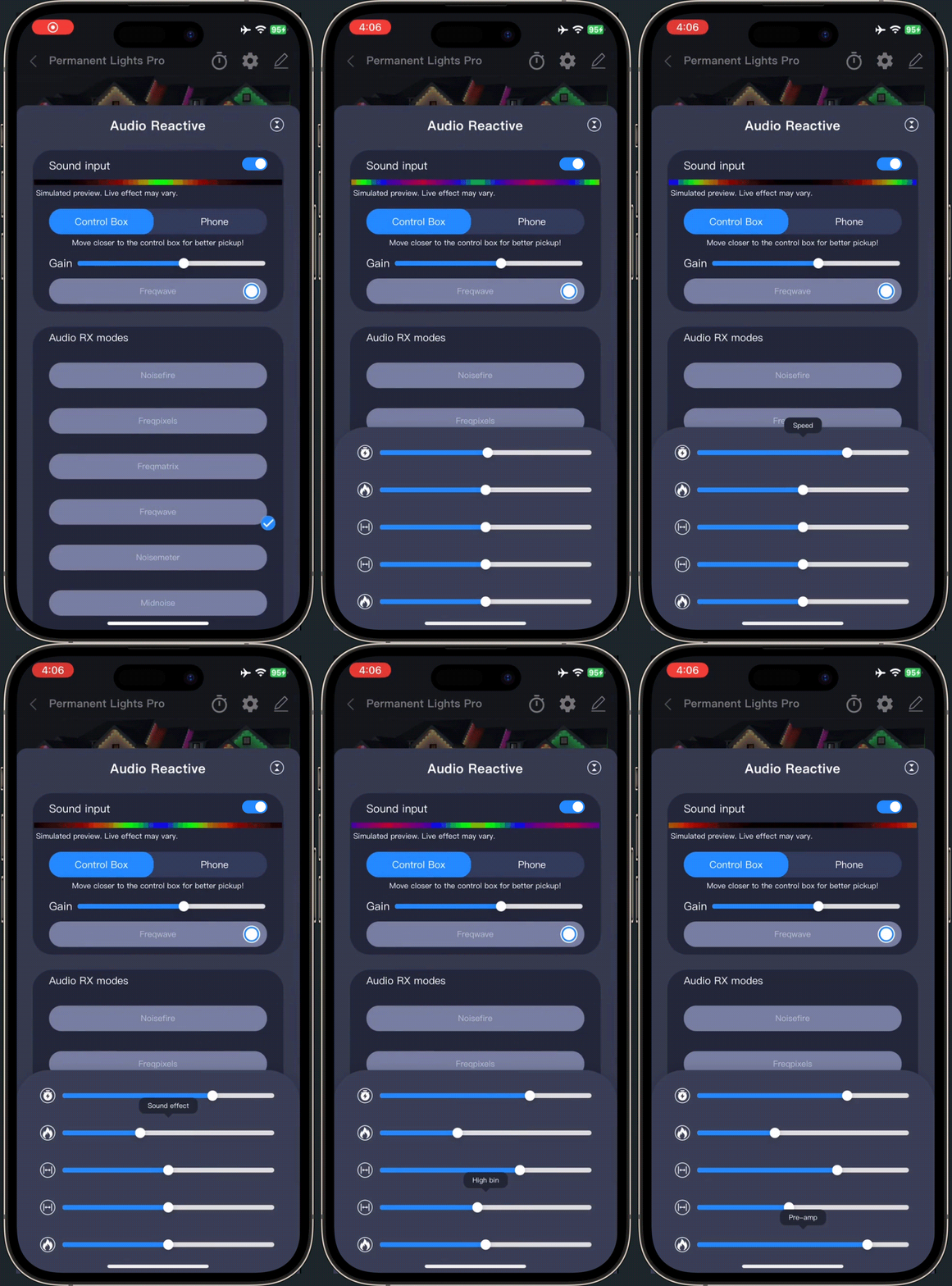 |
Adjust the Gain to control sensitivity for louder or softer reactions. Tap the settings icon in the Current Effect to fine-tune speed, brightness, and other parameters for a truly custom experience. |
FAQs
Q1: What if lights don’t respond to music?
A1:
a. Make sure Sound Input Enable is ON and the MIC source is set correctly (Control Box or Phone).
b. Adjust the Gain parameter for better sensitivity.
c. Different songs and modes may perform differently. Try switching modes or adjusting parameters for the best effect.
Q2:Can I use AudioRX outdoors with background noise?
A2: Yes, but for best results, use phone MIC in quieter environments.
Q3:Why does Audio RX not respond when using Phone as MIC?
A3:Your phone must be connected to the same Wi-Fi network as the controller.
Q4: Why don’t lights react to music after changing the color palette?
A4:After selecting a new palette, you need to re-enter AudioRX mode to activate it.
Updated on 18 May 2026
What are your Feelings?
Thanks for your feedback
- Choosing a selection results in a full page refresh.
- Opens in a new window.