
- Quick Start Guide for Gen1 S1070/S1080/S1090
- Pairing with the ASAHOM App
- Cutting & Reconnecting for Gen1 Waterproof Junction Box
- LED number setting for Gen1 Controller
- Cutting & Reconnecting for Gen 2 Waterproof Junction Box
- Quick Start Guide for Gen2 S1070/S1080/S2080
- Layout Setting for Gen2 Controller
- How to connect to Ethernet (Gen 2 S1080 S2080 only)
- Power extension cord
- Gen 1 T-splitter
- Power-T Connector
- Wire Clip / Screw Pack
- End Cap
- Gen 1 Waterproof Junction Box
- Wall-Mount Enclosure Kit
- Track-Mount Kit
- Gen 1 Light string extension cord
- Gen 1 Controller
- Fault Detection Module
- Gen 2 T-Splitter
- Gen 2 Waterproof Junction Box
- Gen 2 Light string extension cord
- Gen 2 Controller
- Dual Output vs. Single Output: Unlock Greater Flexibility for Your Permanent Outdoor Lights
- Why ASAHOM Permanent Outdoor Light Installations Over 200ft Need Extra Power Injection?
- The Simple, Secure Seal: Why ASAHOM's Waterproof Connectors Are a Game-Changer
- Unleash Your Creativity: How ASAHOM's Palette & Effect Combo Redefines Smart Lighting
- Why Your Outdoor Lights Stay Connected: The Truth About WiFi & Why ASAHOM Uses 2.4GHz
- Beyond Simple Splitting: How the ASAHOM T-Splitter Redefines Smart Lighting Control
- Redefine Your Night: The Power of Zone Control with ASAHOM
Gen 2 T-Splitter
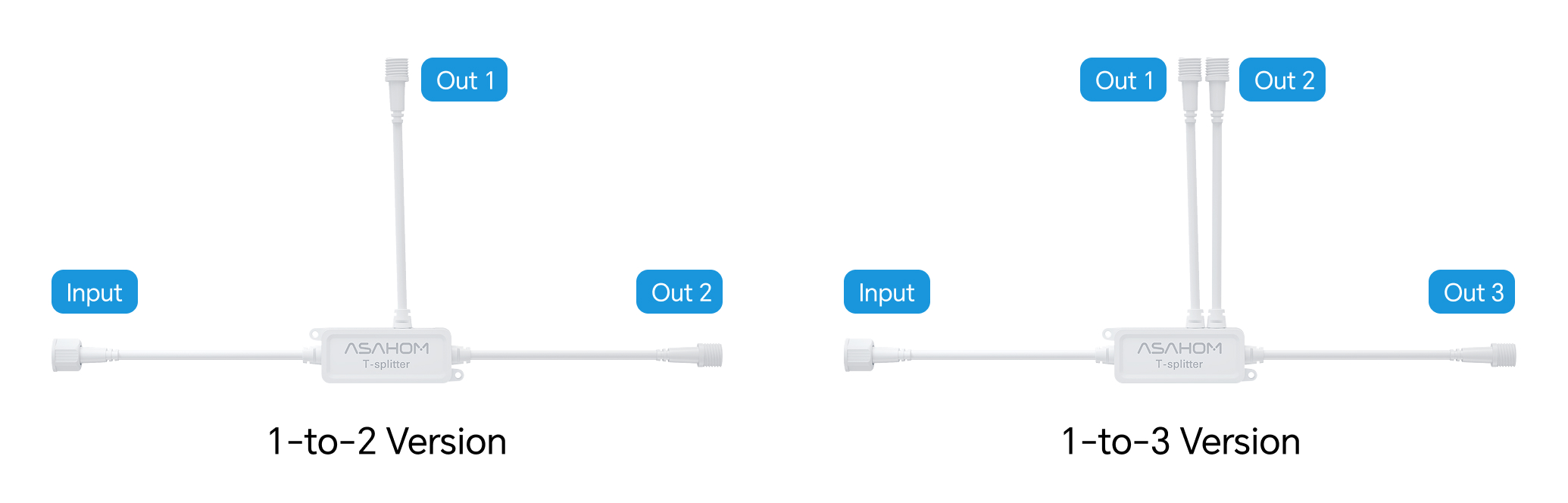
What is the T-Splitter?
The T‑Splitter allows one signal line to drive two or three separate light branches.
It can be connected directly to the controller output to split the signal from Out1 or Out2.
Or it can be inserted midway in a light string to branch off and create independent sections.
This accessory only splits the signal and does not provide power. Please do not confuse it with a power-T connector
When to Use?
-
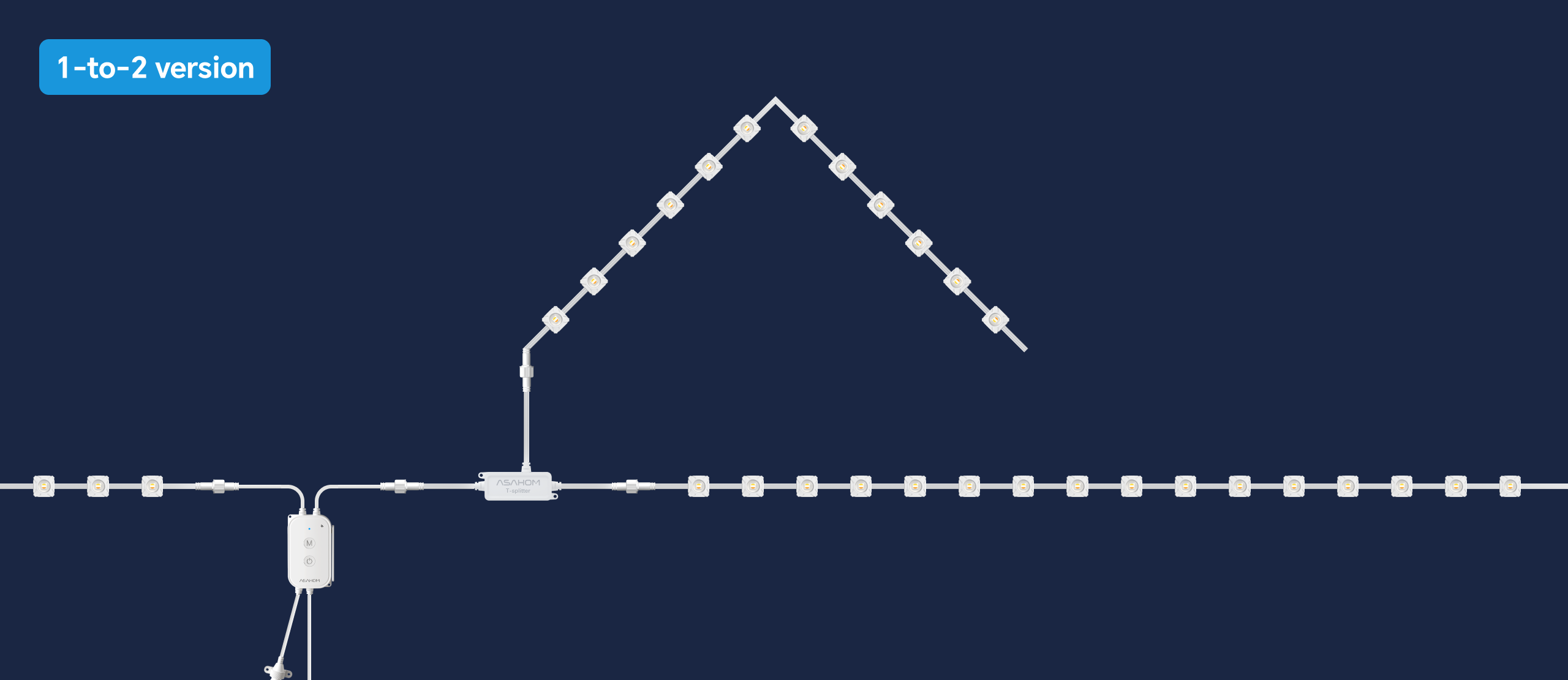
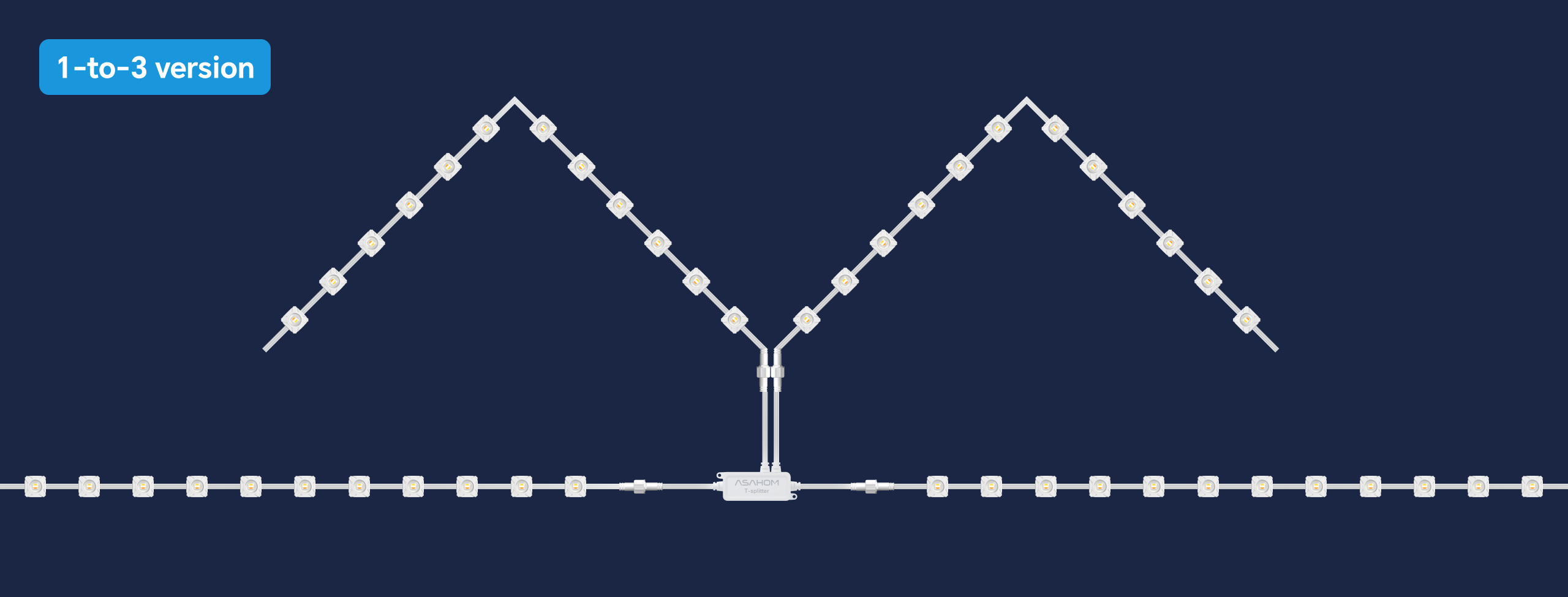
When you want to run two light strings in opposite directions from the same controller
-
Ideal for “center-out” layouts on eaves, fences, or rooftops
How to Set Up
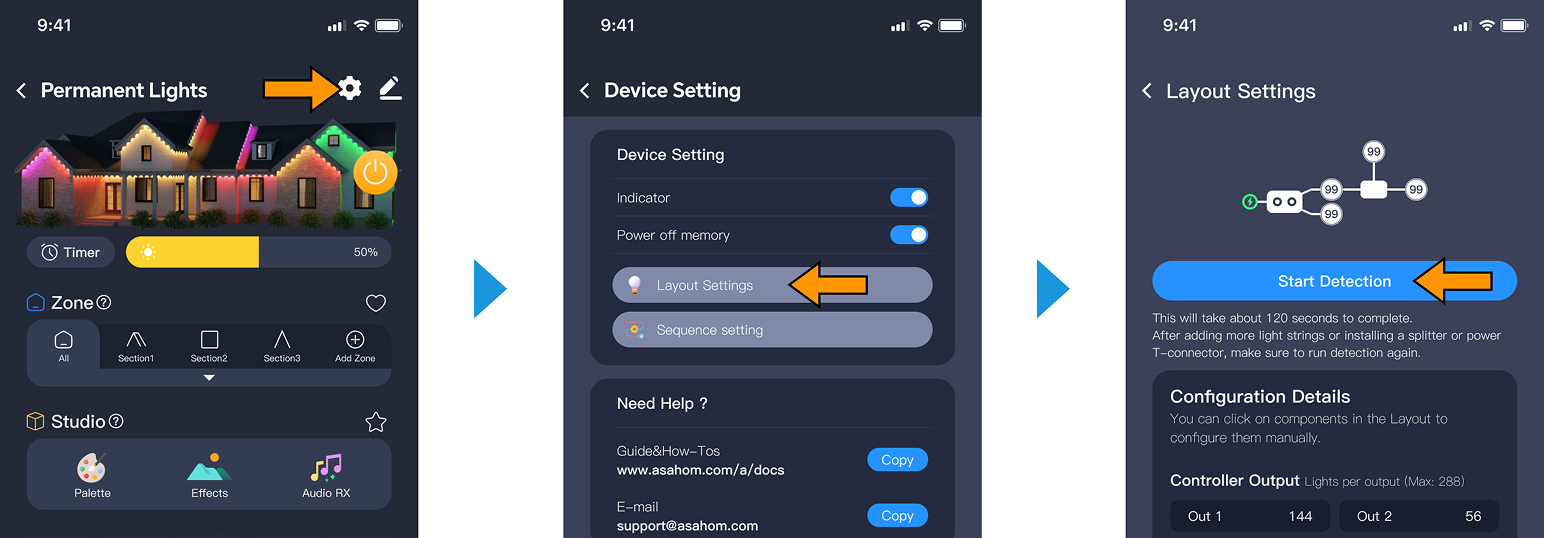
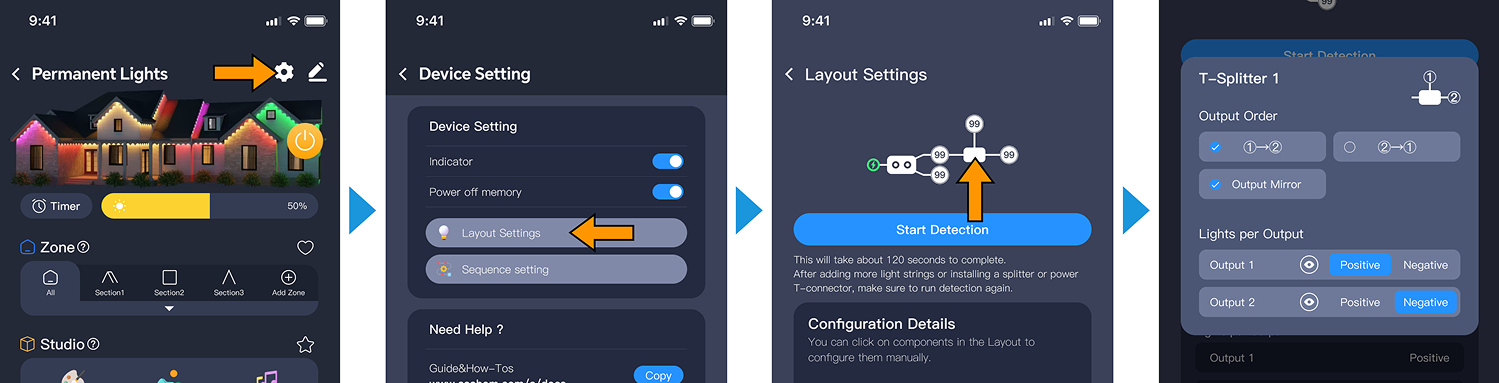
After connecting a T‑splitter and branch light strings to the system, you need to re‑run the layout detection in settings so the system can recognize the newly installed accessories.
How Are the Lights Ordered?
The branch lights on the splitter support custom sequencing. By default, the order is ①→②.
You can change the order by tapping the corresponding splitter control in the Layout Settings – for example, you can set it to ②→①.
FAQ
Q: Is it compatible with other brands?
A: No. The Gen 2 ASAHOM T-splitter only supports ASAHOM Gen 2 controllers. If you are using a Gen 1 ASAHOM product or another brand, please refer to the Gen 1 T-splitter documentation to check whether your model is supported.
Q: What is the difference between a T-splitter and a Power-T connector?
A: The T-splitter only splits the signal. The Power-T connector provides additional power for long-distance transmission.
Q: Can each branch support more than 288 LEDs?
A: No. Each branch (Out1/Out2/Out3) must remain within 288 LEDs.
Q: Does every setup require a T-splitter?
A: No. Use it only when your layout requires two branches from one point.
Q: What should I do if the lights do not respond after connection?
A: Go to Layout Setting → Start Detection in the app.
Q: Is the splitter compatible with WLED mode?
A: Yes, the splitter works properly in WLED mode.
Updated on 19 Sep 2026
What are your Feelings?
Thanks for your feedback
- Choosing a selection results in a full page refresh.
- Opens in a new window.